Workforce Management
Simplified.
Track attendance, manage schedules, and calculate payroll — with GPS precision. Built for companies who manage field workers across multiple sites.
Everything you need to manage your team
Purpose-built for companies who manage field workers across multiple sites.
Everything at a Glance
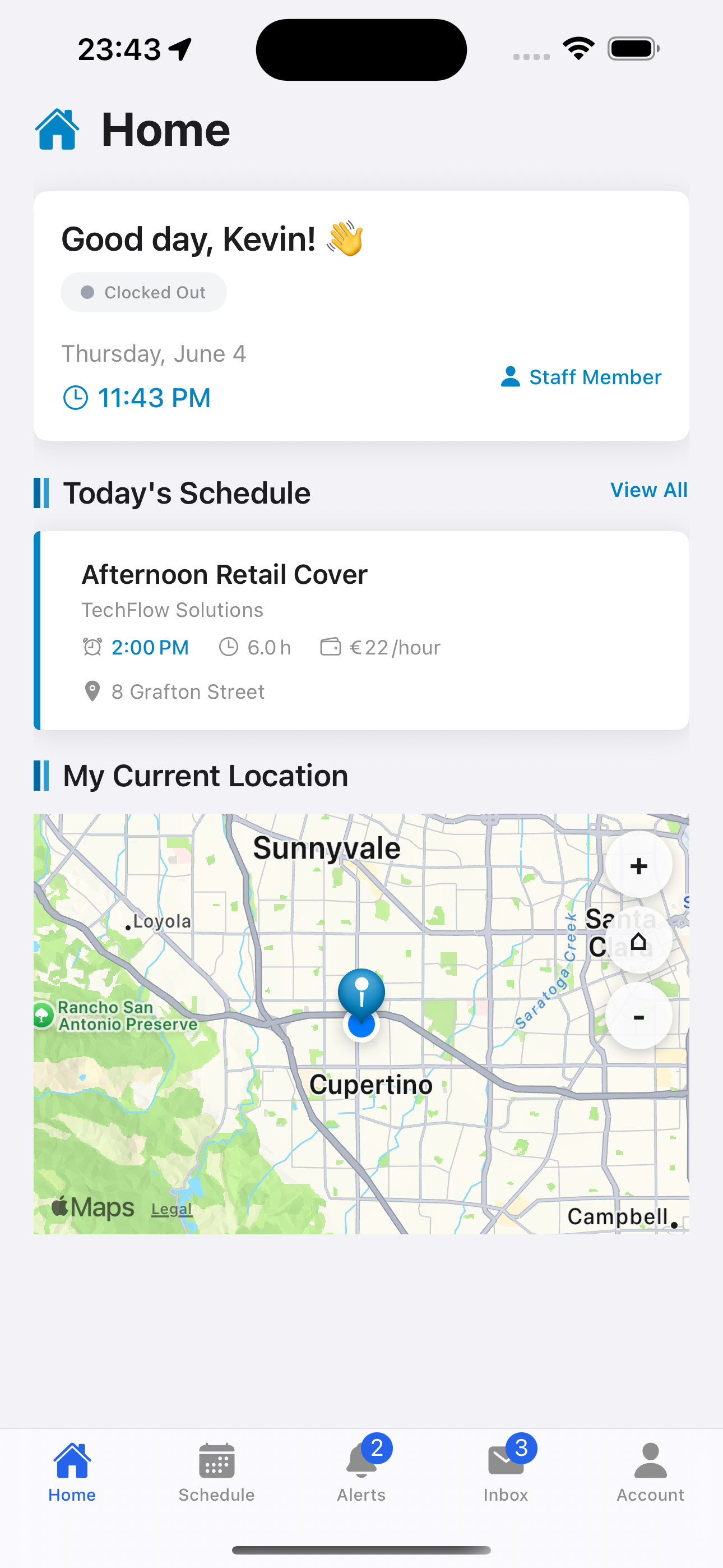
Workers see their clock status, today's shifts, and current location the moment they open the app. No hunting through menus — the home tab surfaces what matters right now.
Live clock-in status
Today's assigned shifts
Current GPS location
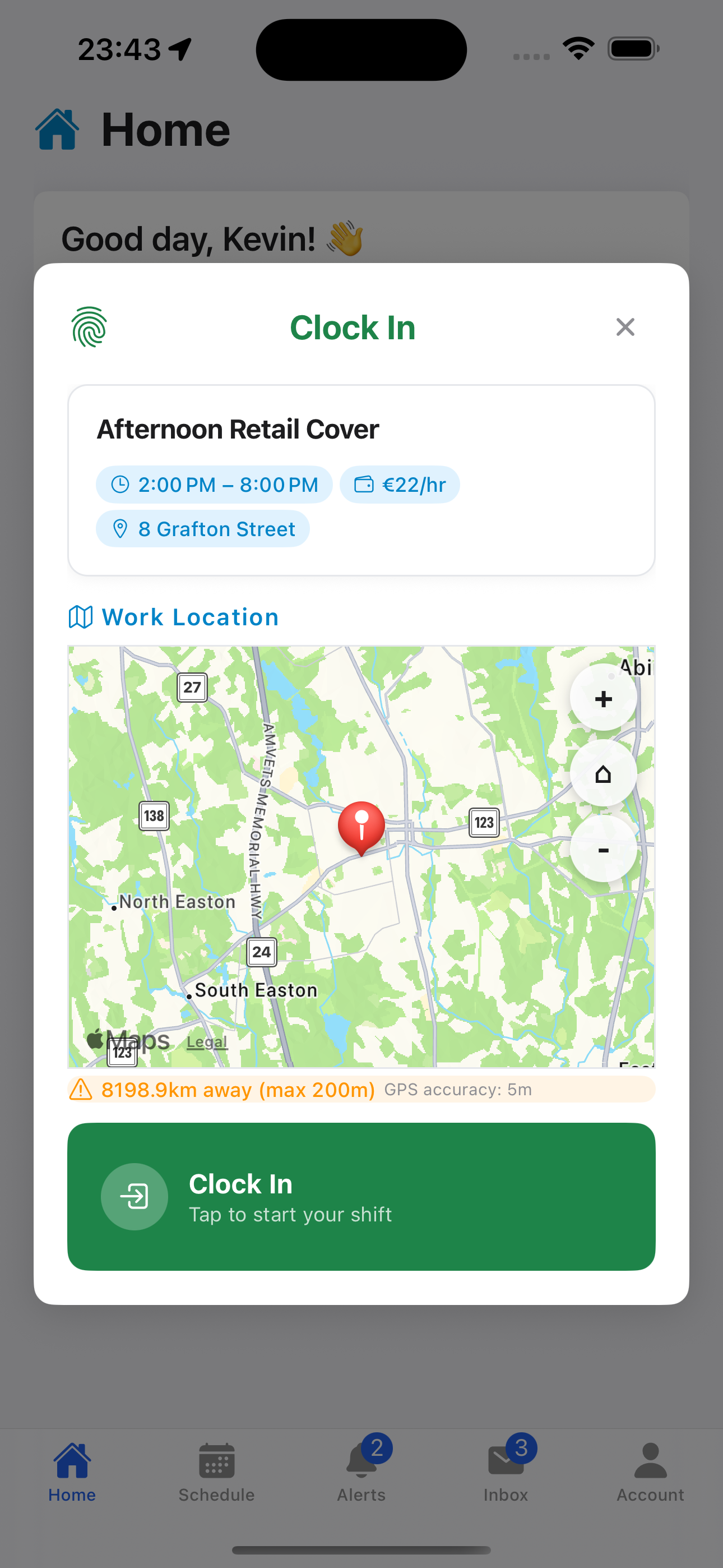
GPS-Verified Clock In & Out
Workers clock in directly from the app, and every entry is matched against the job site location. Time entries outside the geofence are flagged automatically for manager review.
Location verified at clock-in
Flagged entries for review
Automatic grace period handling
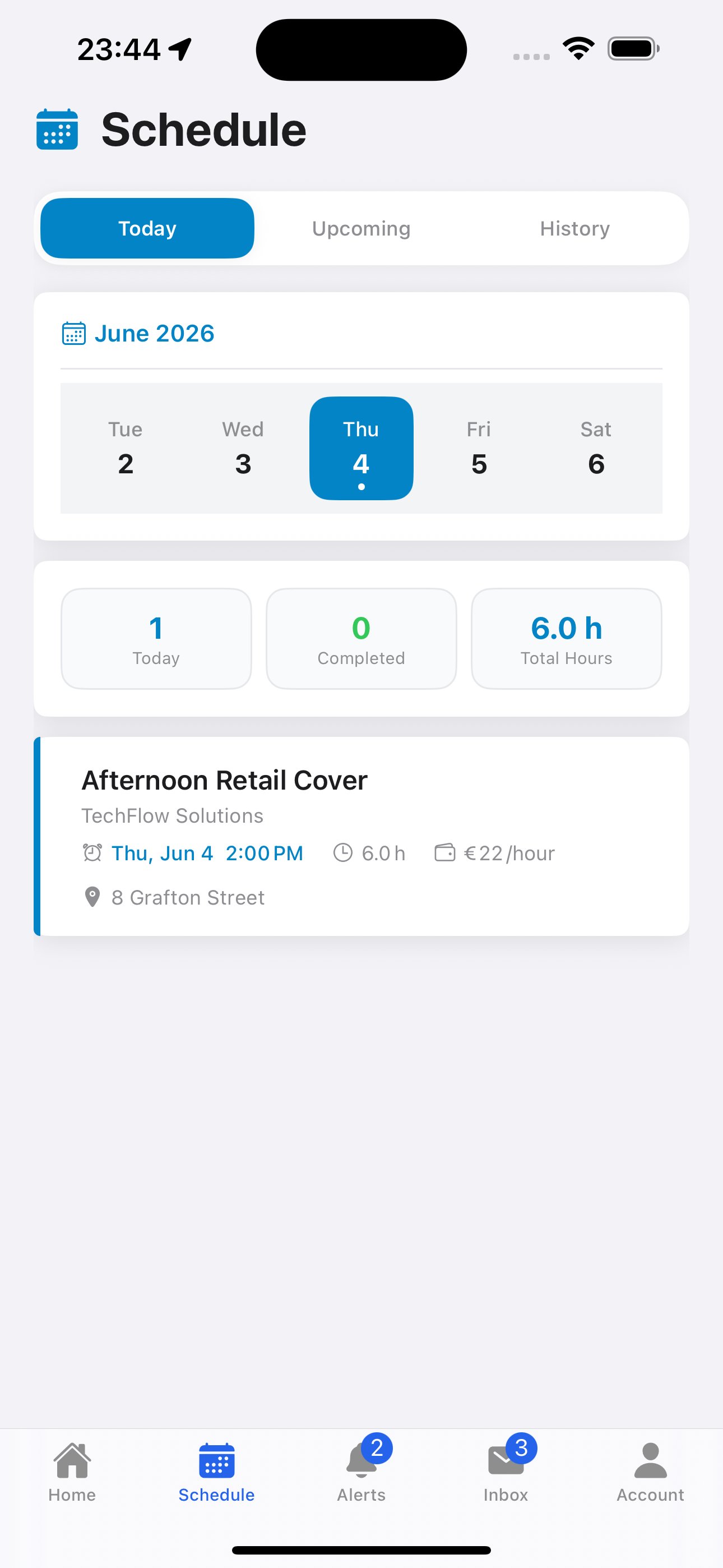
Smart Scheduling
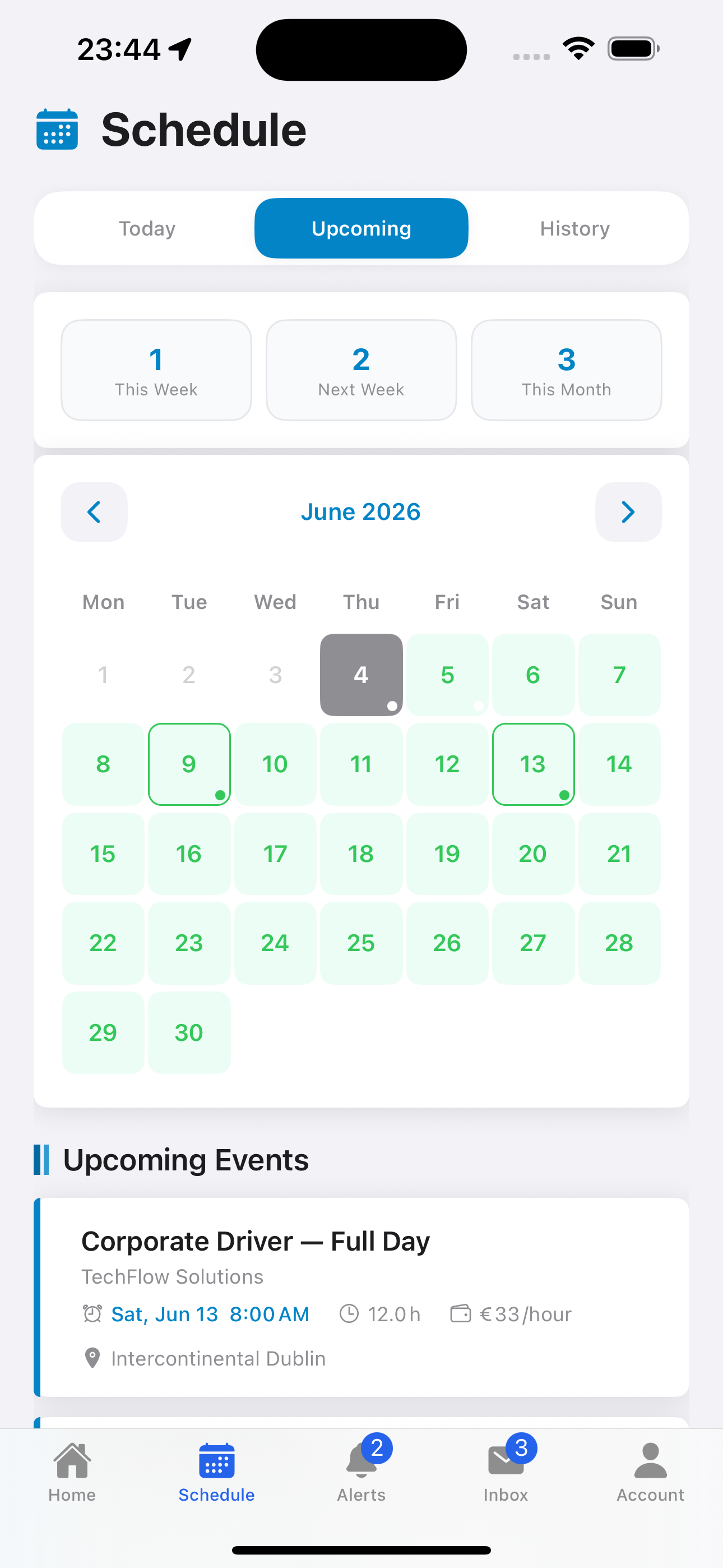
Create one-time jobs or set up recurring schedules. Staff see their upcoming shifts in a clean calendar view, with shift details, hours, and rates all in one place.
One-time and recurring jobs
Rate and hours per shift
Full schedule history
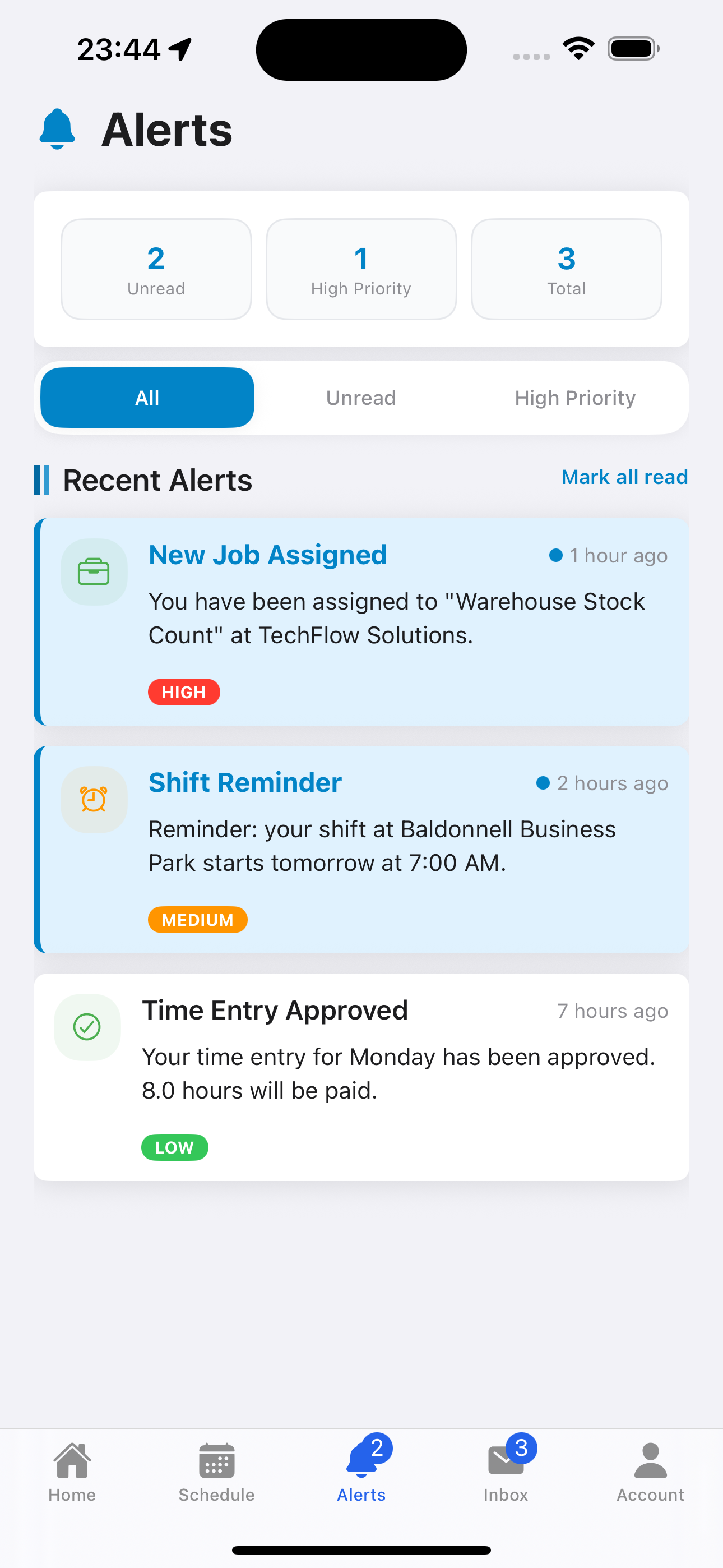
Real-Time Alerts
Managers are notified instantly when a worker is late, clocks out early, or a time entry needs review. Staff receive shift reminders and approval confirmations automatically.
Late clock-in alerts
Time entry approval notifications
Upcoming shift reminders
How It Works
From sign-up to payroll — Spechs Workforce is designed to be up and running in minutes.
Company Signs Up
Your company gets set up on Spechs Workforce. An administrator account is created and your settings are configured.
Invite Your Team
Invite managers and staff via email. Each user receives credentials and sets their own password on first login.
Create Jobs & Schedules
Set up one-time jobs or recurring schedules with location and time details. Assign to managers or directly to staff.
Workers Clock In via App
Staff open the mobile app, see their assigned jobs, and clock in with a tap. GPS location is captured automatically.
Review & Approve
Time entries within the grace period are auto-approved. Managers review flagged entries from the web dashboard.
Payroll Ready
All approved hours, rates, and deductions are calculated automatically. Export reports for your payroll process.
Built for field-based industries
Any company that manages staff across multiple locations can benefit from Spechs Workforce.
Cleaning Companies
Track cleaners across multiple sites. Verify clock-in locations, manage recurring schedules, and calculate pay automatically.
Security Firms
Monitor guard attendance at multiple locations. Get real-time alerts for late arrivals or early departures.
Facilities & Maintenance
Assign one-time or recurring maintenance jobs with GPS verification. Manage multi-site teams from a single dashboard.
Property Management
Coordinate staff across managed properties. Combine with Spechs Property Services for a fully integrated operation.
Ready to get started?
Download the Spechs Workforce app or contact us to set up your company account.
Want a demo or have questions? Contact us